Built for school nutrition
Operators, industry members, commodity boards and association staff. Everyone here already knows the job, so nobody needs NSLP explained.


Shows, recipes, events, the Served Digizine and your people from across the country. One app, built for the folks who feed kids every day.
Served was created for K-12 Foodservice, by the same team that created K-12's first Digizine.
Operators, industry members, commodity boards and association staff. Everyone here already knows the job, so nobody needs NSLP explained.
Every NxtGen show, every issue of the Served Digizine and a recipe library with crediting info, all in one place.
Post your wins, share stories, join groups and message peers from districts across the country. Plus the brands behind your menu.
Here's what lives behind each tab at the bottom of the app.
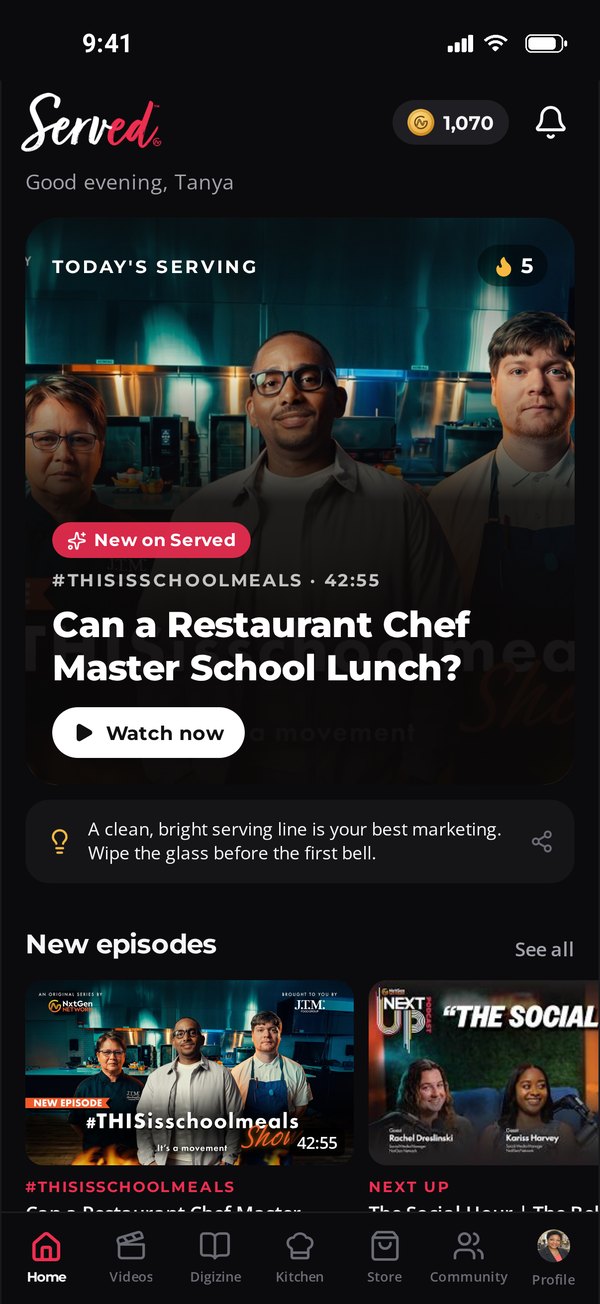
Today's Serving puts the newest episode up front. Scroll for the recipe of the day, stories, new episodes, this month's challenge and upcoming events.
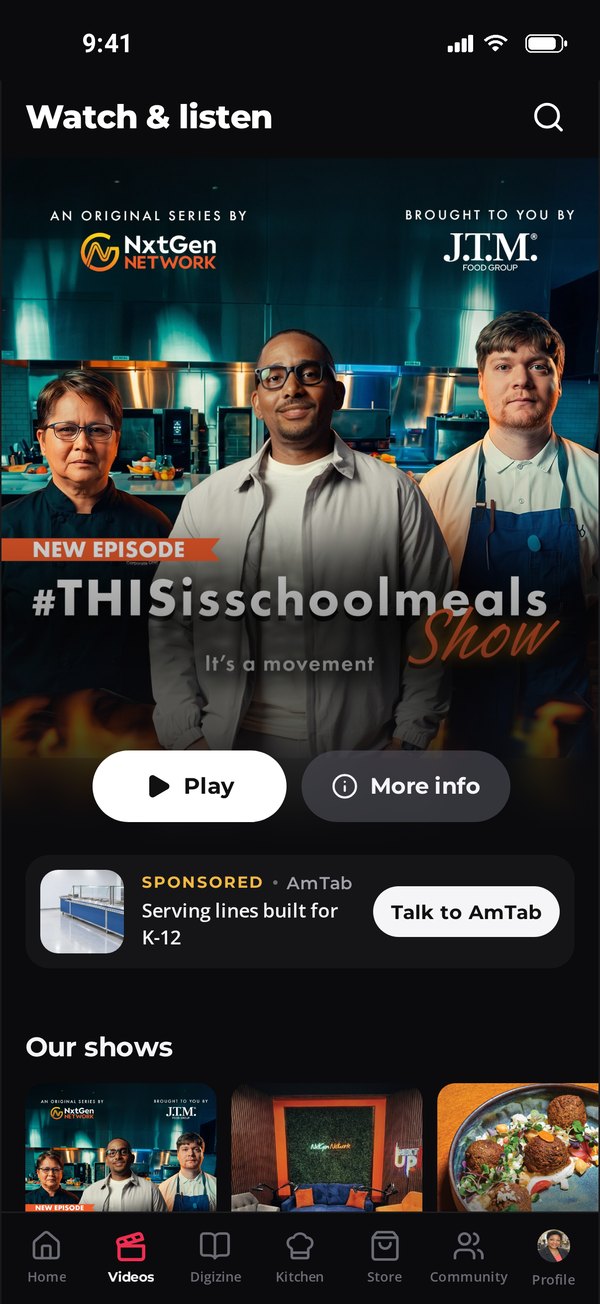
Next Up, #THISisschoolmeals, Indulge and The Reluctant CEO, plus From the Show Floor. New episodes show up here the day they drop.
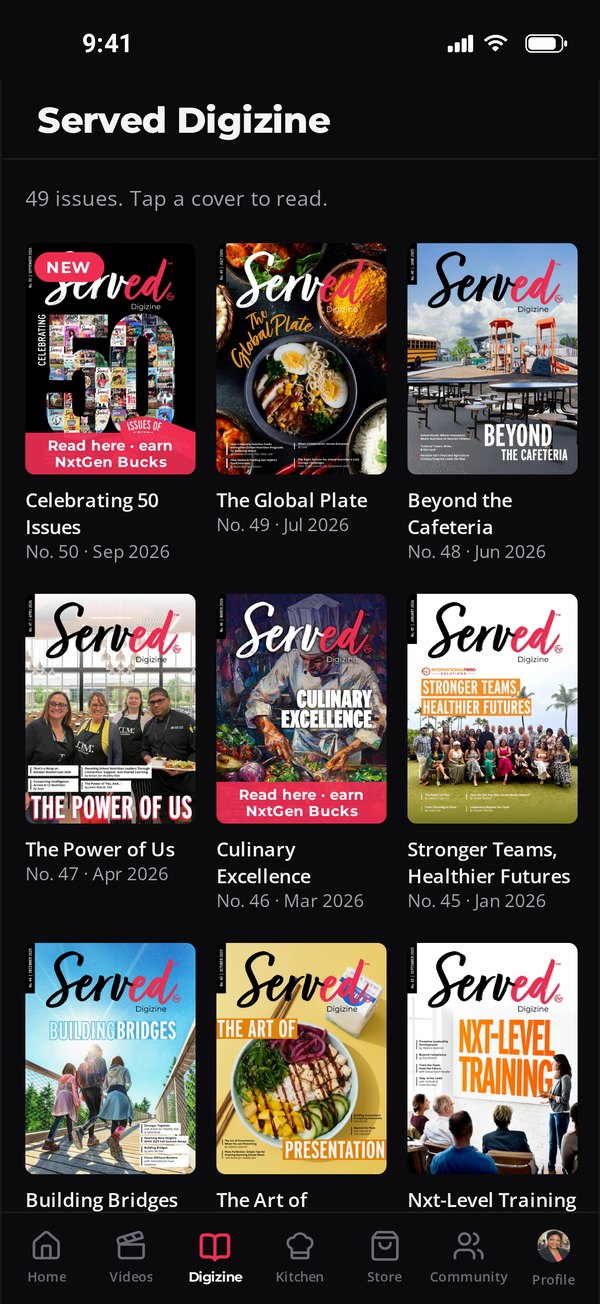
The full Served Digizine library, newest first. Tap a cover to read the real edition, and earn NxtGen Bucks while you read. Short on time? Tap Listen and Served reads the article to you.
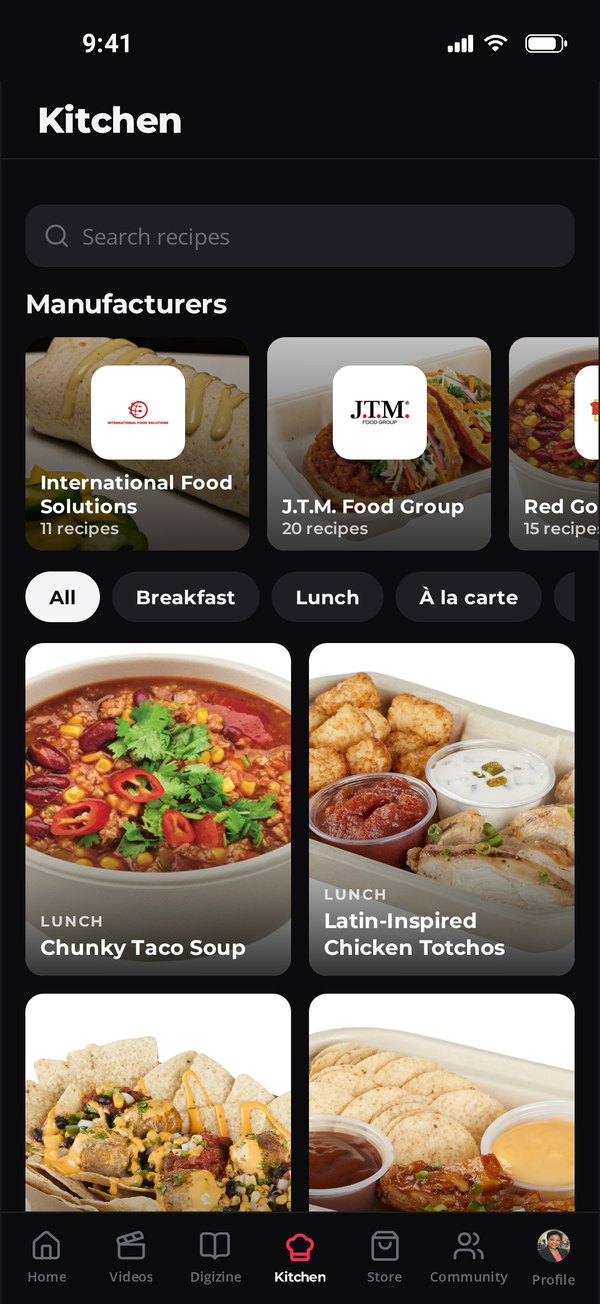
Browse by manufacturer or by meal. Every recipe lists yield, serving size and crediting. Save it, print it, or tap Made it to show your crew pulled it off.
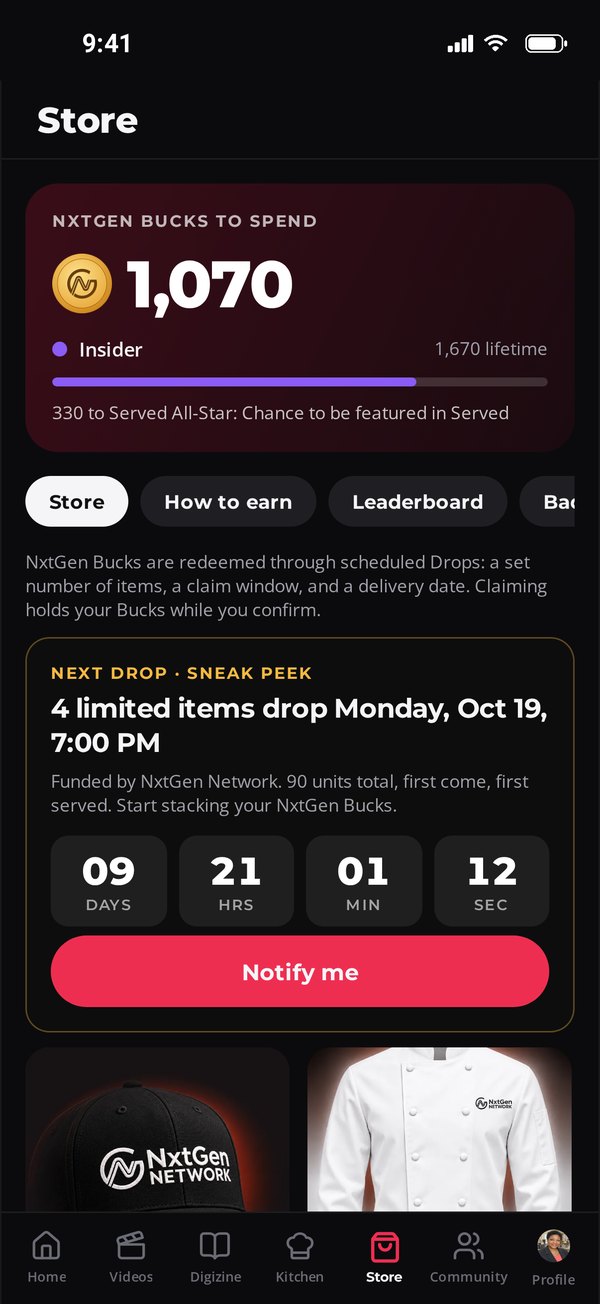
The points you earn turn into real rewards through scheduled Drops. Each Drop has a set number of items, a claim window and a delivery date. A leaderboard shows the top districts.
Post photos, share stories, add friends, join groups and send messages. Official brand accounts post here too, so you hear straight from the companies behind your menu.
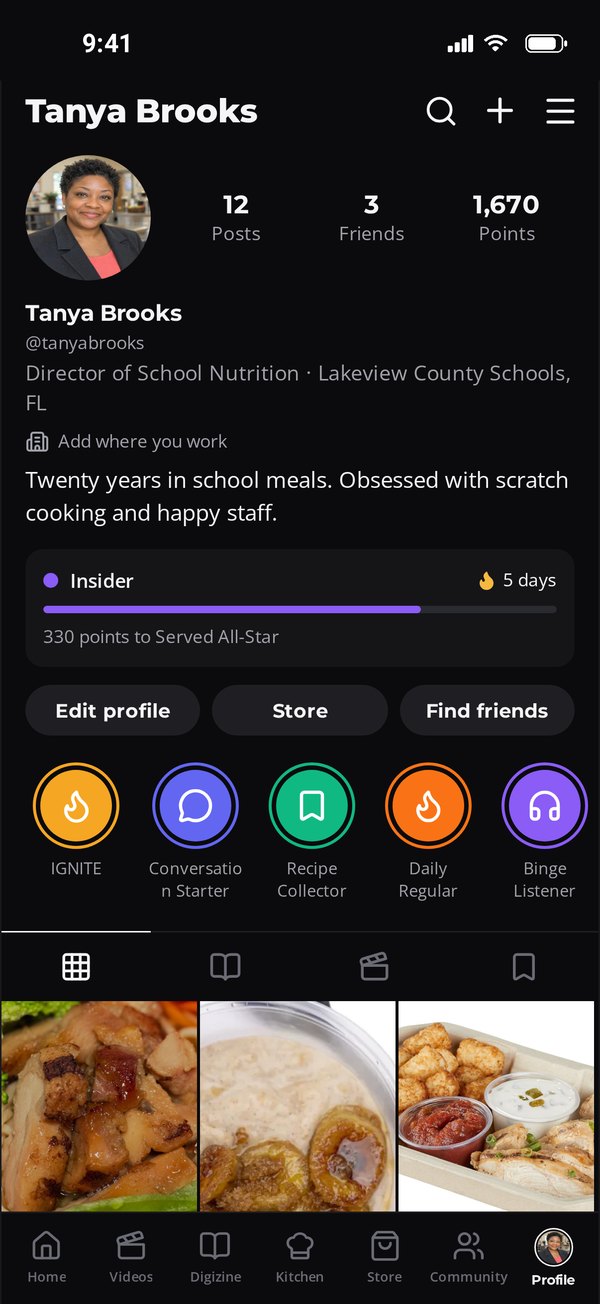
Your posts, friends and points in one spot. Climb levels, keep your streak going and collect badges like Recipe Collector and Binge Listener, plus a badge for every NxtGen event you attend.
IGNITE, NxtGen Masterclass, Immersion and our Summits are all in Served. See what's coming up, save your spot, then keep the people, photos and recaps long after the lights go down.
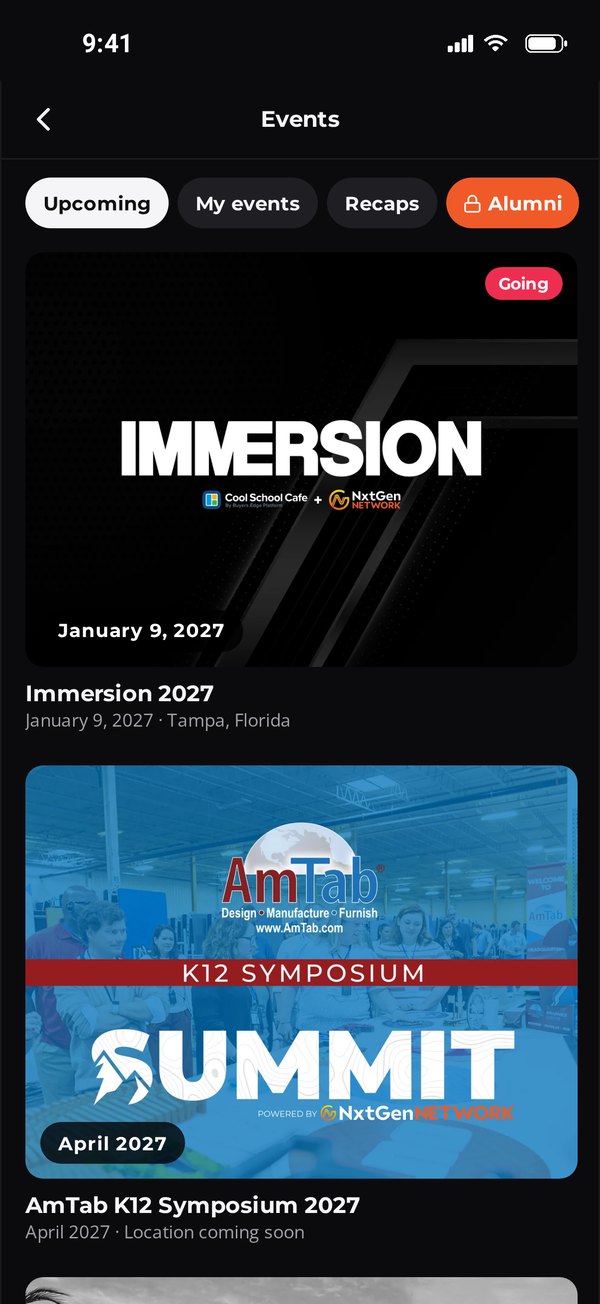
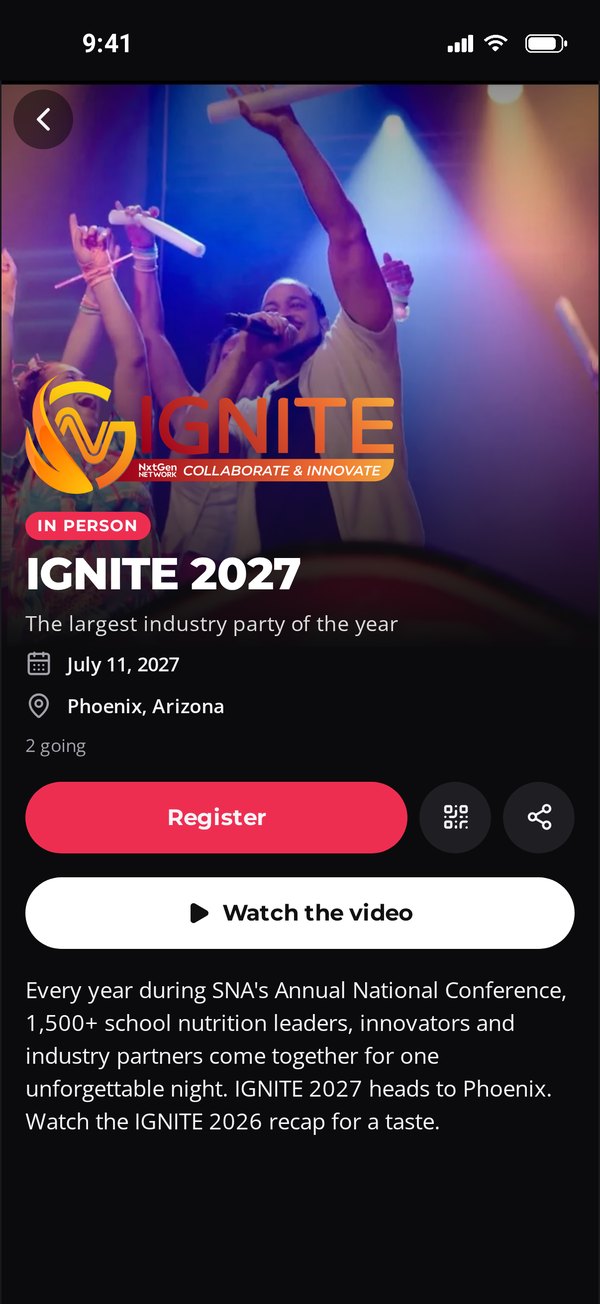
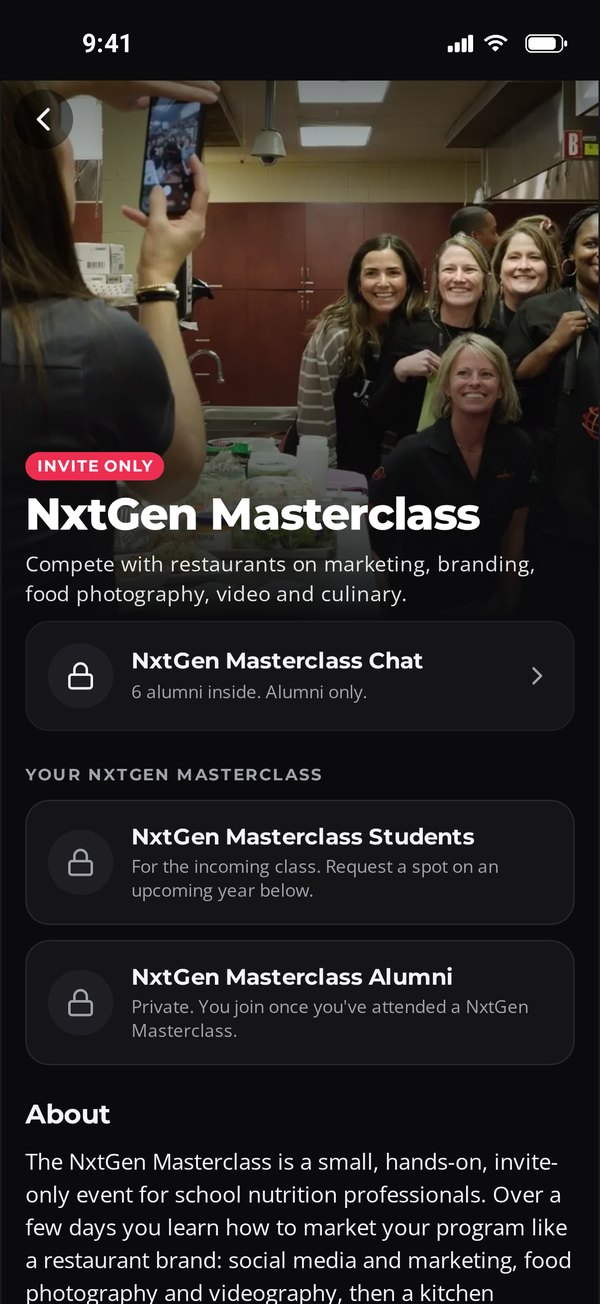
Tap Register for IGNITE. For private events like NxtGen Masterclass and Immersion, tap I'm interested and our team follows up.
On the list for NxtGen Masterclass, Immersion or a Summit? Your space has the agenda, slides, photos, videos, presenters, sponsors and who's going.
Each incoming NxtGen Masterclass class gets its own group and chat. After the event, everyone who checked in joins the alumni group with every year's content.
Scan the check-in QR code at the event and NxtGen Bucks land in your account.
Every event you attend adds its badge to your profile, with a number for each year you've been there.
Watch the recap, flip through every IGNITE recap Digizine back to 2023, and add your own photos to share on your feed or story.
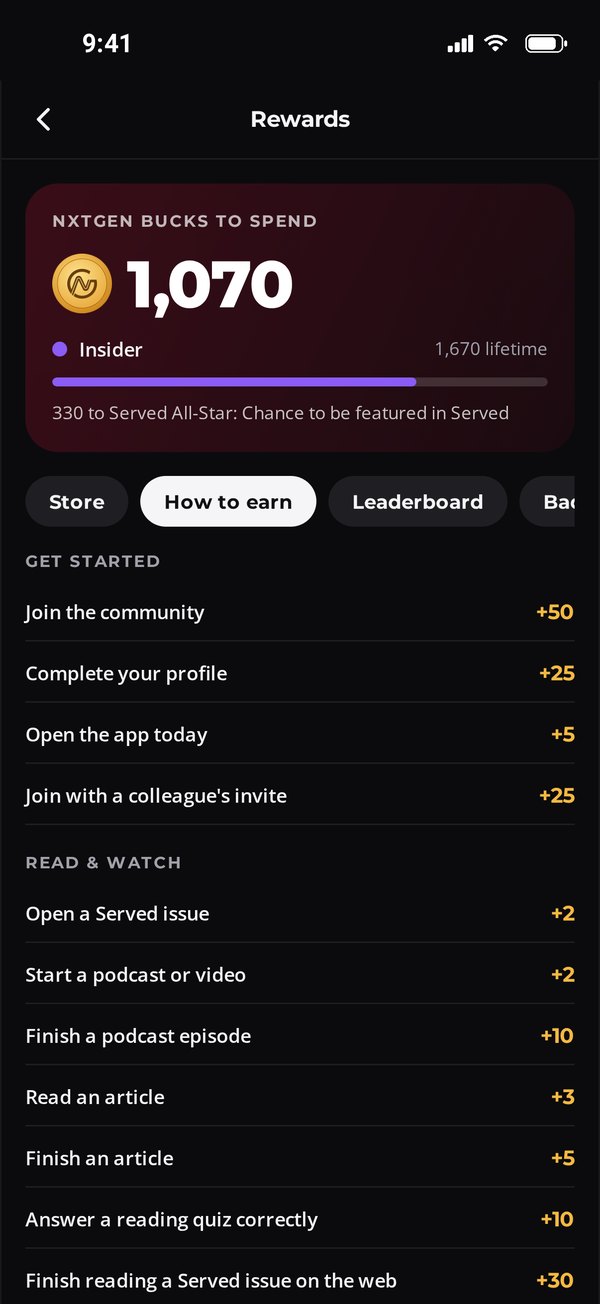
NxtGen Bucks only come from things you actually do in Served. Stack them up, climb the levels, then spend them in the Store.
How Drops work. Rewards come out in Drops that open at a set time with a limited number of items. Tap Notify me, claim when it opens and confirm your shipping address. If your hold runs out, your Bucks come right back.
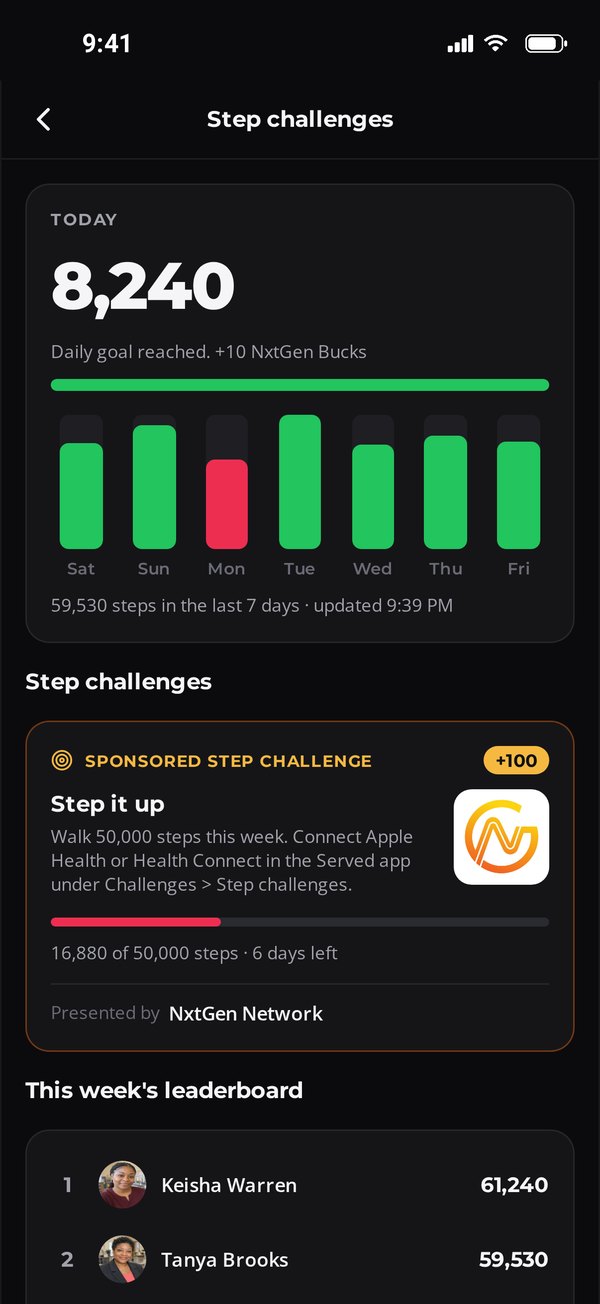
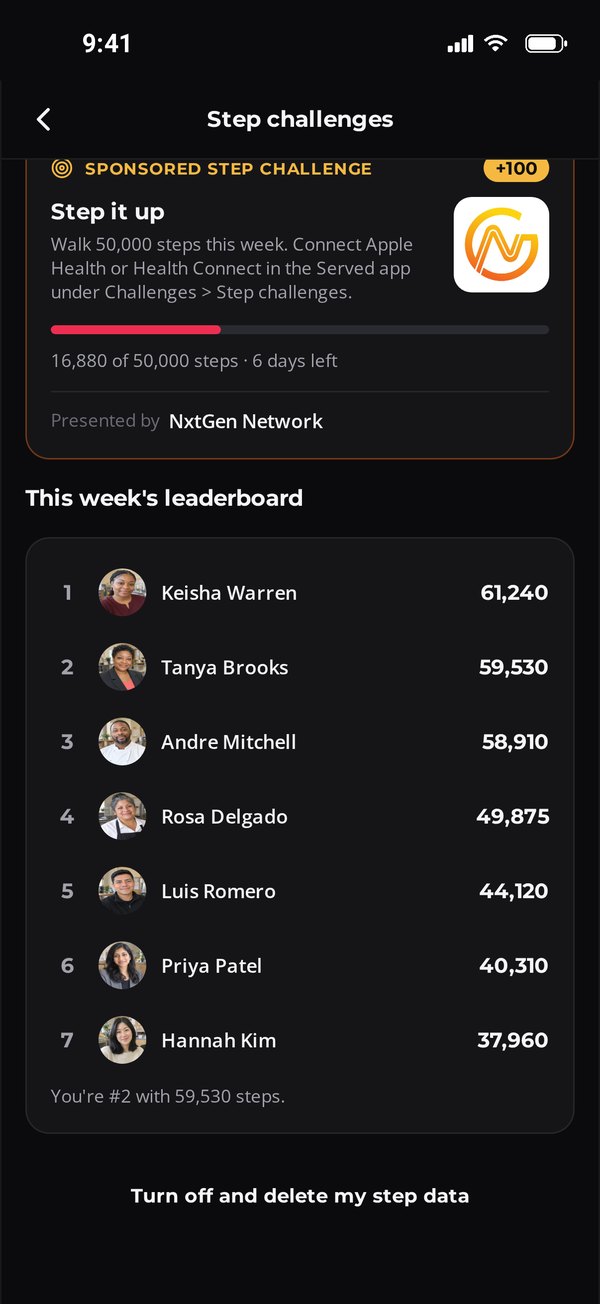
Connect Apple Health on iPhone or Health Connect on Android, and your daily steps start working for you.
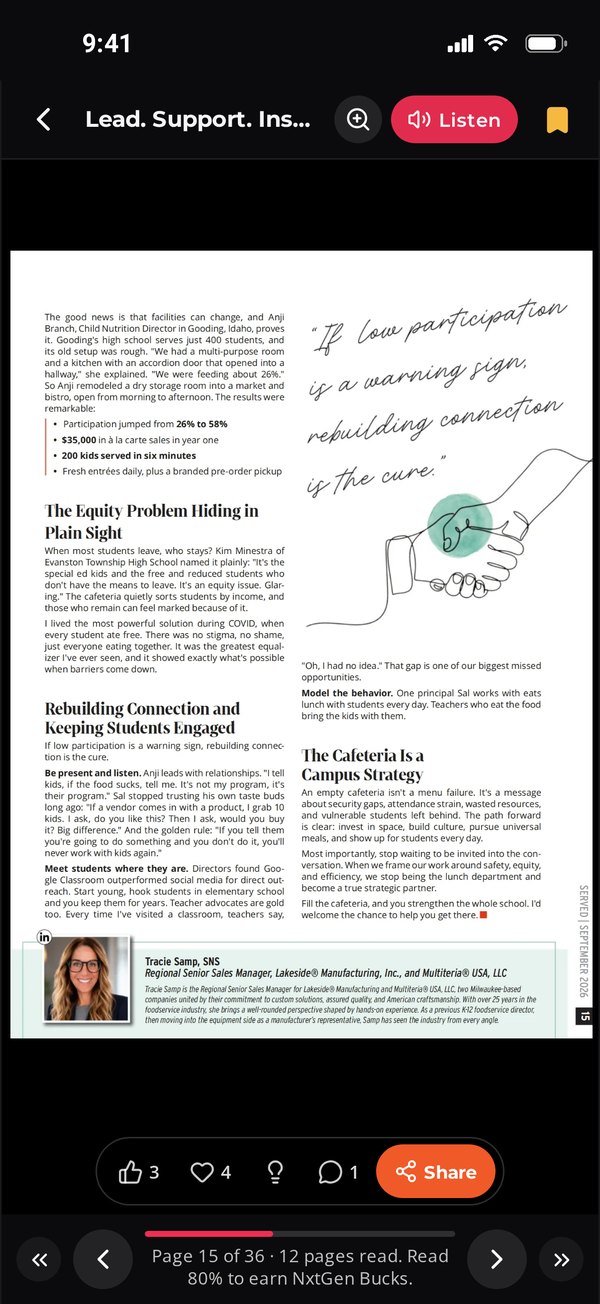
Tap Listen on a Served Digizine page and the article is read aloud. It keeps playing with your ringer on silent, so it works on the drive in, during prep or between lunch waves.
Listen is available on issues built on our new NxtGen Digizine platform.
When a Served Digizine article talks about you or your organization, we tag you in it, the same way we credit authors. The article lands on your Served profile, you get a push notification, and sharing it with your peers takes one tap.
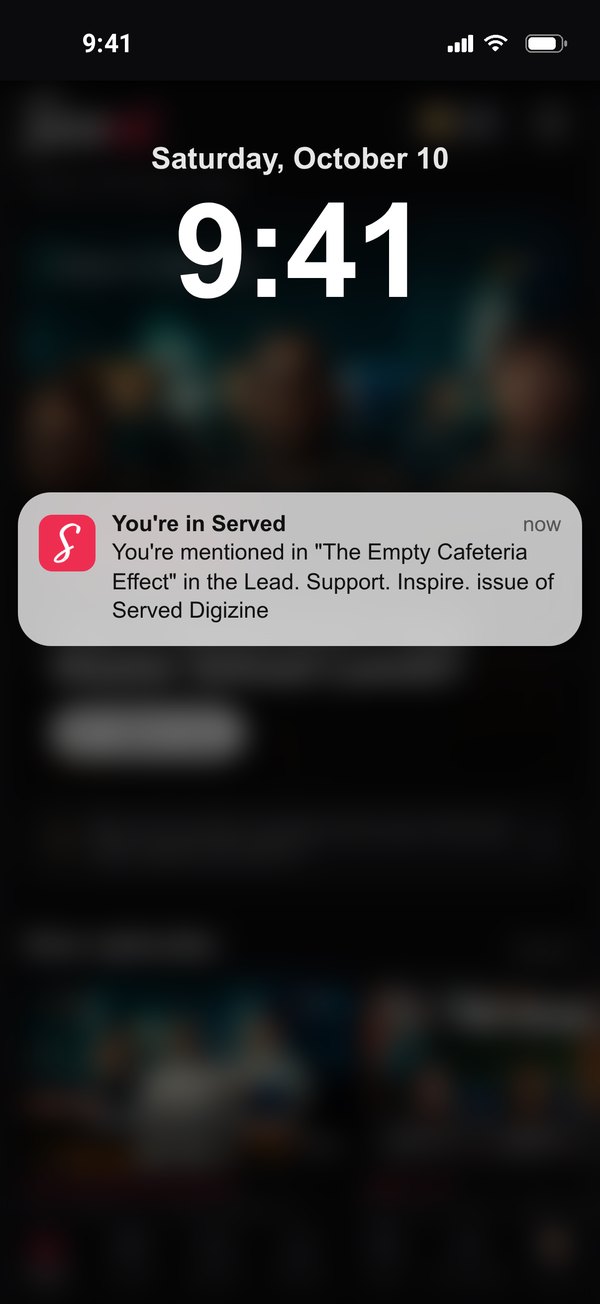
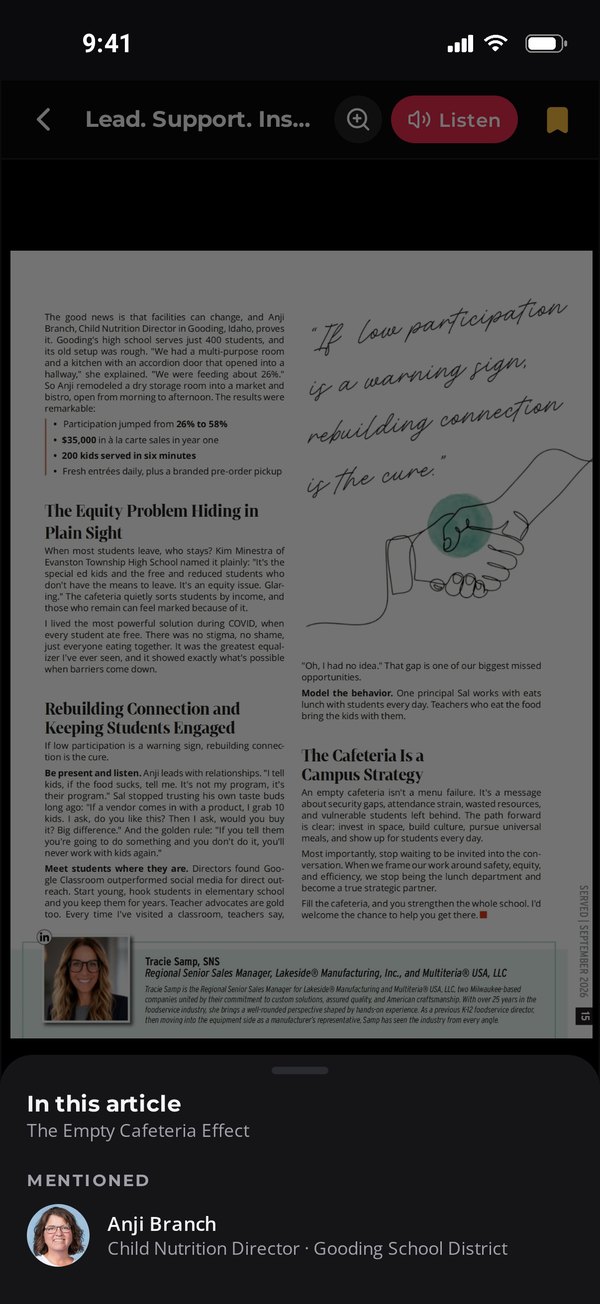
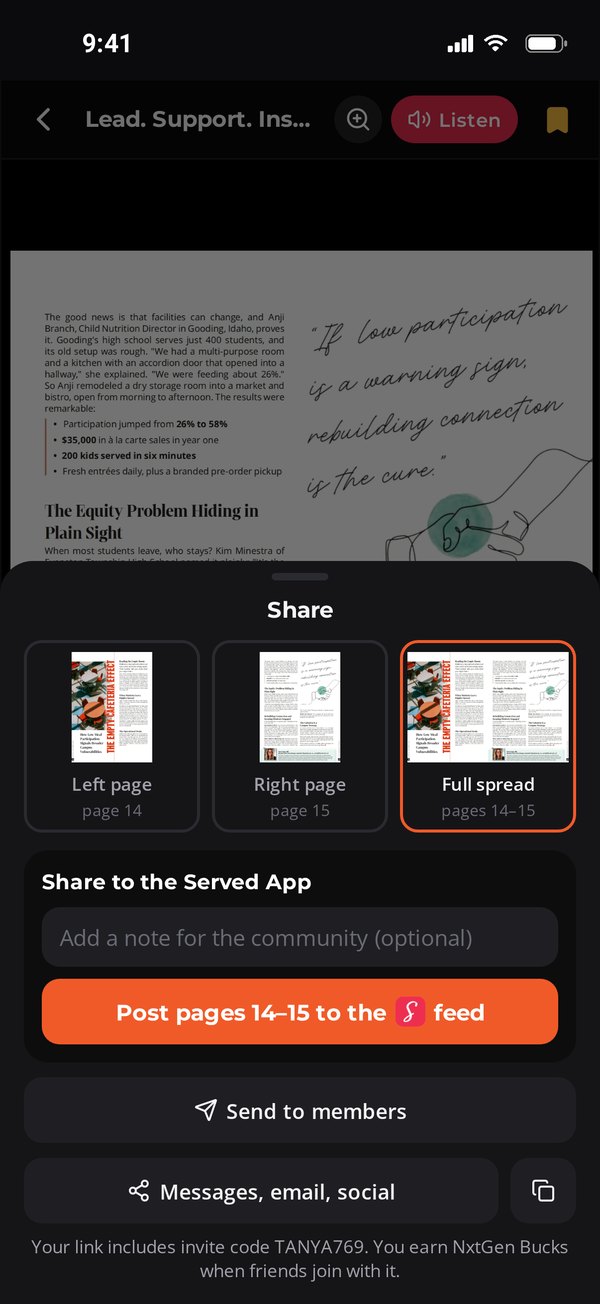
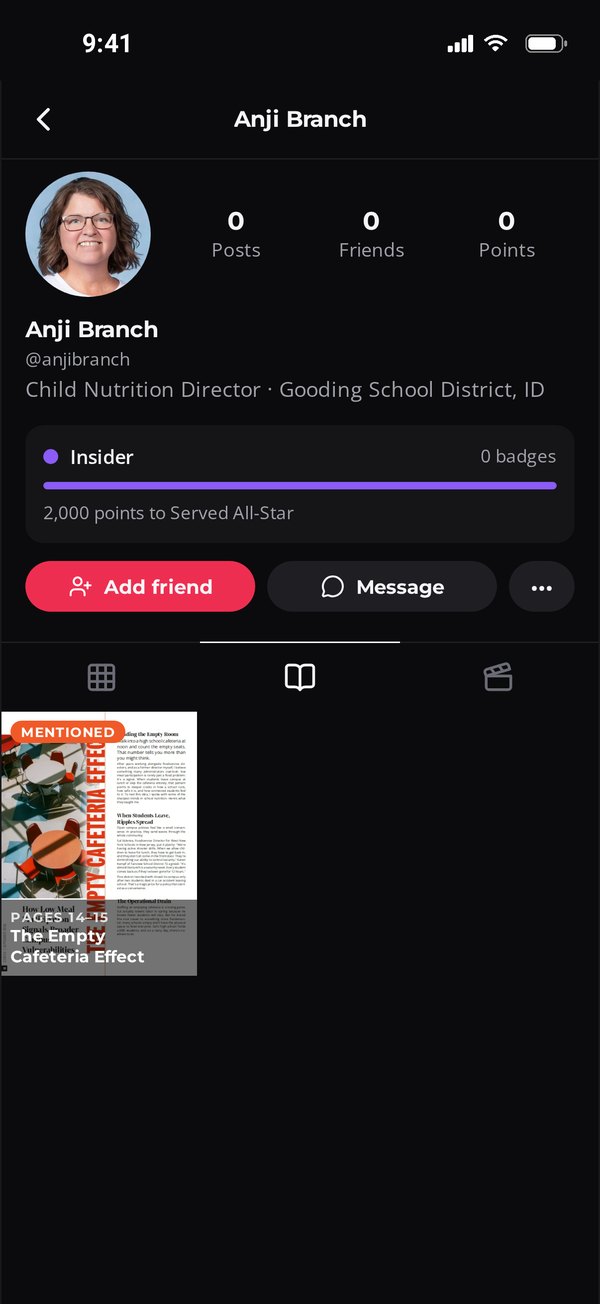
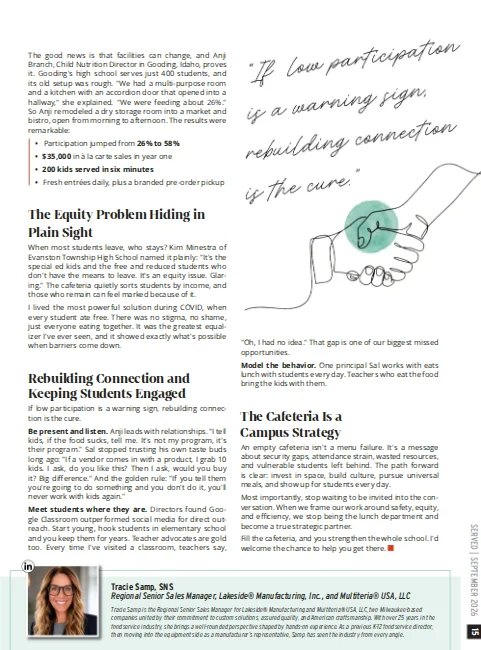
From the latest issue. In "The Empty Cafeteria Effect" (Lead. Support. Inspire., page 15), Tracie Samp, SNS, writes about Anji Branch, Child Nutrition Director in Gooding, Idaho. Anji turned a dry storage room into a market and bistro, and participation jumped from 26% to 58%. Tag Anji once and that story follows her: onto her profile, onto her phone and out to her peers.
Organizations can be mentioned too. When a company or district page is tagged, its page admins get the push notification.
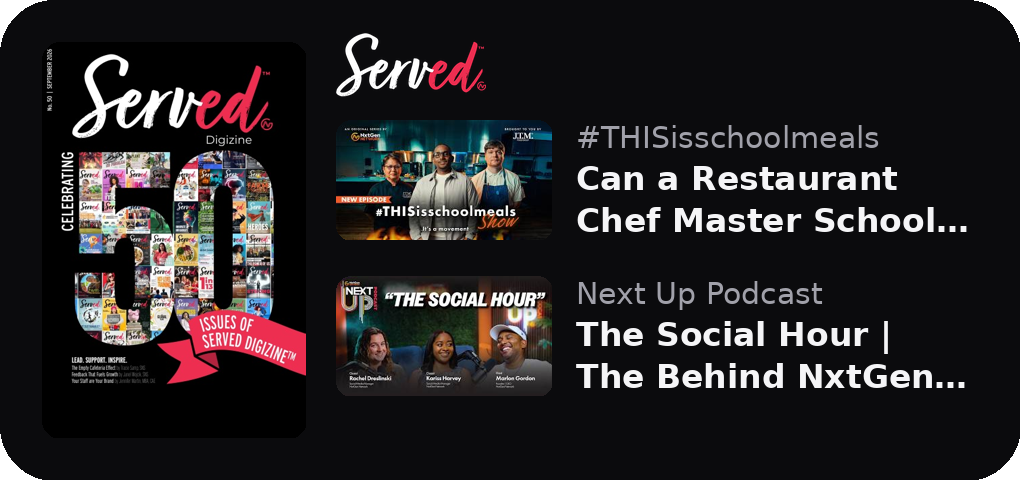
Add the Served Shelf widget and the newest Served Digizine issue and latest episodes sit right on your phone's home screen. One tap opens them in the app.
Official brand profiles put you in the feed next to the people buying and serving your products. Sponsor a challenge, fund a Drop, present an episode, or get your recipes into the Kitchen.
Served is NxtGen Network's mobile app for K-12 school nutrition. It combines a social community with every NxtGen show, the Served Digizine and a recipe library.
People who work in school meal programs, the companies that provide solutions to them, commodity boards and association staff.
Served is coming soon to the App Store and Google Play. Want in sooner? Sign up for the beta at the bottom of this page.
Points you earn for things you do in Served: watching shows, listening to podcasts, reading the Digizine, commenting, finishing challenges, hitting your step goal and checking in at events. You spend them on rewards in the Store during scheduled Drops.
Upcoming NxtGen events show on Home and in Events. Tap Register for IGNITE, or I'm interested for private events like NxtGen Masterclass and Immersion. If you're on the list, you get a private event space with the agenda, slides, photos, presenters and who's going.
When a Served Digizine article mentions you or your organization, the NxtGen team tags you in it. The article shows on your Served profile, you get a push notification on your phone, and you can reshare it to the Served feed, to members or anywhere else. Mentions are for Served members, so join to be tagged.
Yes. Tap Listen on a Served Digizine page to hear the article read aloud. Listen is available on issues built on our new NxtGen Digizine platform.
No. Served reads only your daily step total, nothing else from your health data. Your steps are never shared with sponsors, and you can delete your step data anytime.
Yes. The Served Shelf widget shows the newest Digizine issue and latest episodes on iPhone and Android.
Help shape Served before it launches. Sign up to test the app on your iPhone or Android phone.
It takes about two minutes. We add testers in small groups and email install steps if you're picked.